SpringVerify × ZingHR

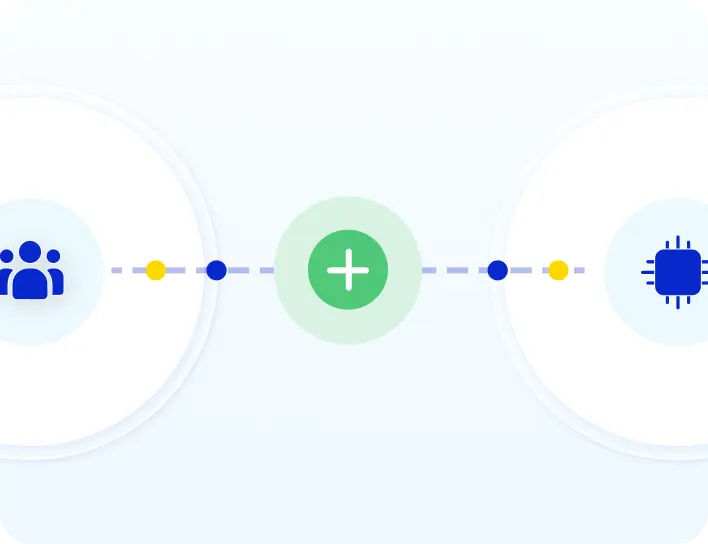
Start a background check from the ZingHR Onboarding module. The final report comes back to the candidate profile in ZingHR.
SpringVerify and ZingHR background verification integration

Brands you trust, trust us

How ZingHR Background Verification Works

Start in ZingHR. SpringVerify does the checks. The report comes back.


1
Select the package in ZingHR
Open the candidate in the Onboarding module, choose the BGV package and click Confirm.
2
The hourly sync picks them up
SpringVerify creates the candidate. Any documents already in ZingHR pre-fill the BGV form.
3
The candidate completes the form
They get a link by email, review the details, add anything missing and submit. Checks begin after submission.
4
The report returns to ZingHR
When verification is complete, the final report is pushed to the candidate profile.

What ZingHR Shares and What Comes Back

Only candidates you initiate from ZingHR are sent to SpringVerify.
From ZingHR to SpringVerify
✓
Candidate name, email address and phone number
✓
The BGV package you selected
✓
Candidate documents already held in ZingHR, used to pre-fill the form
From SpringVerify to ZingHR
✓
The final BGV report, once verification is complete

Why HR Teams Connect ZingHR to SpringVerify

Onboarding stays in ZingHR. Verification runs alongside it.
Icon: starts from Onboarding
Starts from Onboarding
Initiate verification from the candidate profile in the ZingHR Onboarding module. There is no second tool to open.
Icon: package chosen in ZingHR
Package chosen in ZingHR
Select the BGV package on the candidate. SpringVerify matches it to the package in your account.
Icon: hourly sync
Hourly sync
Candidates reach SpringVerify within the hour, without anyone sending files or details.
Icon: report on the candidate profile
Report on the profile
The final report is added to the candidate profile in ZingHR, so your team reads it where they already work.

Connect ZingHR and Start Your First Check

Your admin connects it once. HR then initiates checks from ZingHR.
In SpringVerify
Open Integrations, find the ZingHR card, enter the required details and click Connect. Check that the status shows Connected.
In ZingHR
Open the 9-dot menu, go to Recruitment, then Onboarding, and open the candidate. Select the BGV package and click Confirm. The candidate must be in Onboarding first.
Read the setup guide →

30+ Checks You Can Run From ZingHR

Choose the package for each candidate in ZingHR. These are some of the checks a package can include.

What Customers Say

Loved by HR teams. Trusted at scale.
"Will recommend SpringVerify for authentic and faster background checks."
Asmita P.
Senior HR Generalist, HackerEarth
"SpringVerify gave us what we were missing - the ability to actually see court case risks clearly. It has meaningfully reduced our BGV delays and given our HR team the visibility to move faster with confidence."
Ritika Raj
Senior Manager I - HR Shared Services, LoadShare Networks
"We've been using SpringVerify since March 2025 and the experience has been smooth so far. What we appreciate most is how proactive and solution oriented they are."
Govindprasad Goankar,
Executive VP & HR Head, Kotak Mahindra Asset Management
See It Working With Your ZingHR Account
Walk through the ZingHR and SpringVerify integration end to end.
Schedule a Demo

ZingHR Background Verification: Frequently Asked Questions

What does the SpringVerify and ZingHR integration do?

It starts background checks from ZingHR. When you confirm a BGV package on a candidate in the Onboarding module, SpringVerify picks the candidate up, sends them the verification form and runs the checks. The final report is then pushed back to the candidate profile in ZingHR.

How do I connect ZingHR to SpringVerify?

In the SpringVerify portal, open Integrations and find the ZingHR card. Enter the required details, click Connect and check that the status shows Connected.

How do I start a background check from ZingHR?

Log in to ZingHR, open the 9-dot menu and go to Recruitment, then Onboarding. Open the candidate, select the BGV package, choose the package and click Confirm. The candidate must already be in the Onboarding module.

How often does ZingHR sync with SpringVerify?

Every hour. Candidates you have initiated are fetched on the next run, so there can be a short wait between clicking Confirm and the candidate appearing in SpringVerify.

Is the BGV form pre-filled with ZingHR data?

Yes, when the candidate's documents are available in ZingHR. SpringVerify uses them to pre-fill the form. The candidate reviews it, adds any missing details and submits.

What does the candidate need to do?

They receive an email with a link to the BGV form, review the details, complete anything that is missing and submit it. Verification begins on SpringVerify after they submit.

Where do I find the report in ZingHR?

Once verification is complete, the final BGV report is pushed to the candidate profile in ZingHR and can be viewed there. Your team does not need to log in to SpringVerify to get it.

Is candidate data secure?

SpringVerify is certified with SOC 2 Type II and ISO 27001, and aligned with India's Digital Personal Data Protection Act. Data is encrypted and handled with explicit candidate consent.
Ready to Start ZingHR Background Verification?
See the ZingHR and SpringVerify integration end to end.
Schedule a Demo