SpringVerify × Workday

Start a background check for a worker in Workday. Status and the report come back to the worker record.
SpringVerify and Workday background verification integration

Brands you trust, trust us

How Workday Background Verification Works

Start in Workday. SpringVerify runs the checks. Status and the report come back.
1
Start the check in Workday
Initiate the background check for the worker and choose a background check package.
2
SpringVerify reads the request
On its scheduled sync, SpringVerify reads your Workday report and matches the package to one of yours.
3
The form is pre-filled
Details and documents from the worker record fill the BGV form. The candidate reviews it and adds anything missing.
4
Results return to Workday
Status and result are written back, and the report PDF is attached to the worker record.
What Workday Shares and What Comes Back

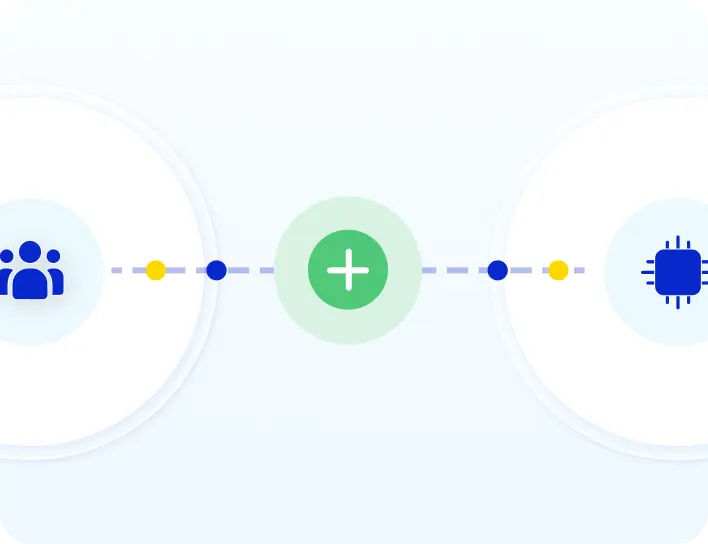
SpringVerify reads the worker record for candidates with a background check request.
From Workday to SpringVerify
✓
Worker name and contact details
✓
Employment and education details
✓
Identity and education documents on the worker record
✓
The background check package chosen in Workday
From SpringVerify to Workday
✓
Status: Pending, In progress, Complete or Cancelled
✓
The result: Pass, Fail or Review, once the check concludes
✓
The report PDF, with optional interim reports

Why Enterprise HR Teams Connect Workday to SpringVerify

Hiring stays in Workday. Verification runs alongside it.
Icon: reads the full worker record
Reads the full worker record
SpringVerify starts from the data already in Workday, not just a name and email.
Icon: packages mapped once
Packages mapped once
Match each Workday package to a SpringVerify package one time. Every later check follows the mapping.
Icon: status inside the Workday workflow
Status inside Workday
Pending, in progress and complete states show on the background check in Workday.
Icon: report on the worker record
Report on the worker record
The report PDF is attached to the worker, so your team reads it where they already work.

What You Need to Connect Workday

Your Workday administrator and SpringVerify set this up together, once.
In Workday
Your administrator creates a custom report listing each worker and their background check package, and an integration account that SpringVerify uses to read and update background check data.
In SpringVerify
Connect your Workday tenant, add the report address, and map each Workday package to a SpringVerify package. Choose whether to send interim reports.

30+ Checks You Can Run From Workday

The package you map in Workday decides which checks run. These are some of the checks a package can include.

What Customers Say

Loved by HR teams. Trusted at scale.
"Will recommend SpringVerify for authentic and faster background checks."
Asmita P.
Senior HR Generalist, HackerEarth
"SpringVerify gave us what we were missing - the ability to actually see court case risks clearly. It has meaningfully reduced our BGV delays and given our HR team the visibility to move faster with confidence."
Ritika Raj
Senior Manager I - HR Shared Services, LoadShare Networks
"We've been using SpringVerify since March 2025 and the experience has been smooth so far. What we appreciate most is how proactive and solution oriented they are."
Govindprasad Goankar,
Executive VP & HR Head, Kotak Mahindra Asset Management
See It Working With Your Workday Tenant
Walk through the Workday and SpringVerify integration end to end.
Schedule a Demo

Workday Background Verification: Frequently Asked Questions

What does the SpringVerify and Workday integration do?

It runs background checks for workers you start a check for in Workday. SpringVerify reads the worker record, pre-fills the BGV form, runs the checks and writes the status, result and report back to Workday.

How does a background check start from Workday?

You initiate the background check for the worker in Workday and choose a background check package. SpringVerify reads this from a Workday report on its scheduled sync and creates the candidate.

How are Workday packages matched to SpringVerify packages?

Each Workday background check package is mapped once to a SpringVerify package during setup. A worker whose Workday package has no mapping is not added, so every package you use needs a mapping.

What worker data does SpringVerify read from Workday?

Personal details, employment information, qualifications and worker documents such as identity and education proofs. These are used to pre-fill the BGV form, so the candidate only completes what is missing.

What does the candidate need to do?

They review the pre-filled BGV form, add anything that is missing and submit it. Whether SpringVerify emails the candidate the form link is a setting for your account.

What comes back to Workday?

The background check status (Pending, In progress, Complete or Cancelled), the result (Pass, Fail or Review) once the check concludes, and the report PDF attached to the worker record.

Does Workday receive interim reports?

Optionally. Interim reports can be turned on in the integration settings and are attached while checks are still running. The final report is sent when the case is complete.

Is candidate data secure?

SpringVerify is certified with SOC 2 Type II and ISO 27001, and aligned with India's Digital Personal Data Protection Act. Data is encrypted and handled with explicit candidate consent.
Ready to Start Workday Background Verification?
See the Workday and SpringVerify integration end to end.
Schedule a Demo