Zimyo's #1 Recommended BGV Partner

SpringVerify × Zimyo

Run instant, accurate background checks without switching tabs. SpringVerify is now Zimyo's top recommended BGV partner. Together, we eliminate the last manual step in your hiring process.

Brands you trust, trust us

Compliance Ready & Best in the Industry

Zimyo manages your entire HR workflow. SpringVerify handles background verification with zero errors and the fastest TAT in India.
Trigger BGV directly from a Zimyo candidate profile, with no copy-paste and no re-entry
Real-time verification status synced back into your Zimyo dashboard
Candidate consent collected digitally, fully audit-ready
Detailed reports accessible inside Zimyo, with no separate portal login needed
Single repository for all BGV details, right where your HR team works

How it works

From Initiate to BGV complete in 3 steps
1
Initiate the check from Zimyo
On the Candidates page, under Background Verification, click Initiate next to the candidate.
2
SpringVerify receives the details
Review the candidate's details in Zimyo and submit. The data flows directly to SpringVerify, with no re-entry.
3
Results sync back to Zimyo in real time
View verification status, detailed reports, and flags, all inside your Zimyo dashboard.

What Moves Between Zimyo and SpringVerify

Only the candidates you choose to verify are shared.
From Zimyo to SpringVerify
✓
Candidate details and the package checks
✓
Identity documents, such as PAN, Aadhaar, driving licence, voter ID or passport
✓
Address details and proof
✓
Education details
✓
Employment and reference details
From SpringVerify to Zimyo
✓
Verification status
✓
The verification report

Why Teams Pair Zimyo with SpringVerify

Hiring stays in Zimyo. Verification just happens.
Icon: start from the candidate list
Start from the candidate list
Click Initiate next to a candidate on the Zimyo Candidates page. There is no second tool to open.
Icon: no re-entry of details
No re-entry of details
Identity, address, education and employment details go across to SpringVerify, so nobody types them twice.
Icon: self-serve setup
Self-serve setup
Generate a token in SpringVerify, paste it in Zimyo and turn on the workflow. No developer needed.
Icon: status and reports in Zimyo
Status and reports in Zimyo
Verification status and the report come back to Zimyo, so your team stays in one place.

Set Up Once, Use on Every Hire

Two short steps, one in each product.
In SpringVerify
Open Integrations, choose Zimyo, click Connect and select Generate Token. This is the key that links your two accounts.
In Zimyo
Go to All Integrations, open the Background Verification section, install SpringVerify and paste the token. Then turn on Background Verification in your onboarding workflow.
Read the setup guide →

30+ Checks You Can Run From Zimyo

Pick the package that fits the role. Here are some of the checks you can include.

What Customers Say

Loved by HR teams. Trusted at scale.
"We've been using SpringVerify since March 2025 and the experience has been smooth so far. What we appreciate most is how proactive and solution oriented they are."
Govindprasad Goankar
Executive VP & HR Head, Kotak Mahindra Asset Management
"Will recommend SpringVerify for authentic and faster background checks."
Asmita P.
Senior HR Generalist, HackerEarth
"SpringVerify gave us the ability to actually see court case risks clearly. It has meaningfully reduced our BGV delays and given our HR team the visibility to move faster with confidence."
Ritika Raj
Senior Manager I - HR Shared Services, LoadShare Networks
See It Working With Your Zimyo Account
Walk through the Zimyo and SpringVerify integration end to end.
Schedule a Demo

Zimyo Integration: Frequently Asked Questions

How does SpringVerify integrate with Zimyo?

SpringVerify connects to Zimyo with a secure token. Once enabled, you start a check from the Zimyo Candidates page by clicking Initiate. Candidate details flow from Zimyo to SpringVerify when you submit. No manual data entry, no switching platforms.

How do I set up the integration?

Setup is self-serve. In the SpringVerify portal, open Integrations, choose Zimyo, click Connect and generate a token. In Zimyo, go to All Integrations, open the Background Verification section, install SpringVerify and paste the token. Then turn on Background Verification in your onboarding workflow.

How do I turn on Background Verification in Zimyo?

After installing SpringVerify, go to AdvanceHR, then Onboarding, then Process Flow. Click Configure Workflow for the Default workflow, open the Employee Onboarding section, make sure Background Verification is enabled, and save.

How do I start a background check for a candidate?

On the Zimyo Candidates page, find the candidate under Background Verification and click Initiate. Review the details shown, click Proceed through the form, and select Submit at the end to start the check.

What candidate data is shared with SpringVerify?

The details submitted for the candidate in Zimyo: identity documents such as PAN, Aadhaar, driving licence, voter ID or passport, plus address, education, employment and reference details, depending on the package.

Why is SpringVerify listed as Zimyo's #1 recommended partner?

SpringVerify earned this recognition through its industry-leading turnaround times, 4.8-star customer satisfaction rating, deepest compliance credentials (SOC 2, ISO 27001, DPDPA aligned), and seamless HRMS integration experience. It's the BGV partner Zimyo recommends to all its customers.

How long does it take to complete a background check?

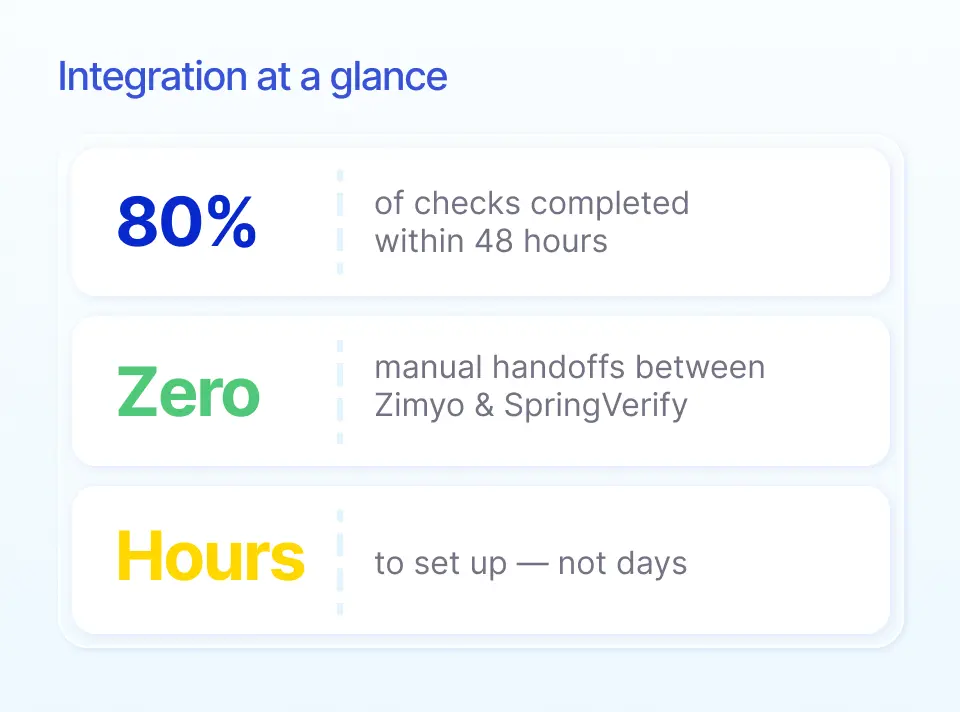
80% of background checks on SpringVerify are completed within 48 hours, the fastest in India. Instant checks for 7+ basic checks (ID, Aadhaar, PAN, etc.) are done in seconds.

Is candidate data secure?

Absolutely. SpringVerify is one of the first BGV companies in India to be SOC 2 Type II and ISO 27001 certified, and it is DPDPA aligned. All data is end-to-end encrypted and handled with explicit candidate consent.

Ready to Go Live with Zimyo?
See the Zimyo and SpringVerify integration end to end.
Schedule a Demo