SpringVerify × Darwinbox Background Verification Integration

Run background verification from Darwinbox Recruitment or Onboarding. Candidate details flow to SpringVerify automatically, and the reports land in your Darwinbox onboarding form.
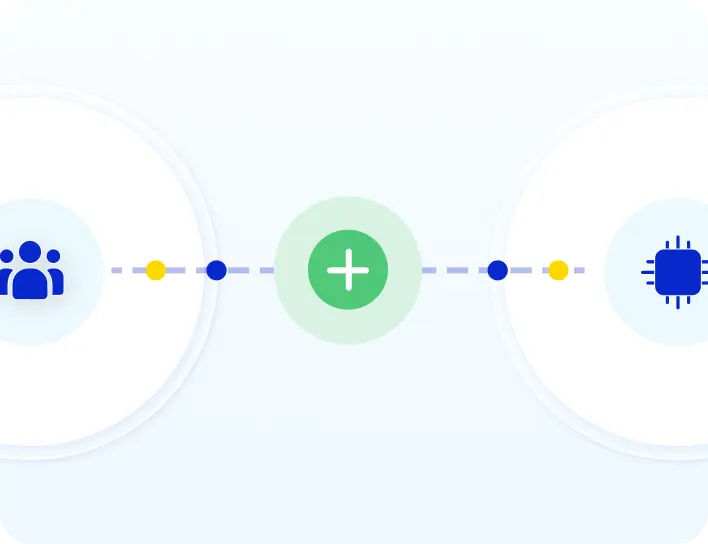
SpringVerify and Darwinbox integration: candidate details flow from Darwinbox to SpringVerify and background verification reports return to Darwinbox

Brands you trust, trust us

How Darwinbox Background Verification Works

Set it up once with your Darwinbox account team. After that, every case flows through on its own.
1
Add SpringVerify as a vendor
Your Darwinbox account team adds SpringVerify as a BGV vendor, creates matching packages and statuses, and enables the APIs.

2
Choose your modules and trigger
Pick Recruitment, Onboarding or both. For Onboarding, choose when verification starts: form submission, candidate activation or first form update.

3
Trigger verification in Darwinbox
Candidate details and documents flow to SpringVerify automatically, and the checks begin.
4
Reports return to Darwinbox
Interim reports and the final report appear in the Verification Reports section of the onboarding form.

What Moves Between Darwinbox and SpringVerify

Only the fields your verification package needs are sent.
From Darwinbox to SpringVerify
✓
Candidate name, email, phone number and employee ID
✓
Documents the candidate uploads
✓
The fields allowed by the verification package you chose
✓
The package itself, so the right checks run
From SpringVerify to Darwinbox
✓
One interim report from Recruitment, as an early pre-offer signal
✓
Interim reports from Onboarding as each check completes
✓
The final report in the Verification Reports section
✓
The verification status, such as Red, Amber or Green

Benefits of Background Verification in Darwinbox

Recruitment and Onboarding stay in Darwinbox. Verification runs alongside.
Icon: an early signal before the offer
An early signal before the offer
Run a quick pre-offer check from Darwinbox Recruitment, then release the offer with more confidence.
Icon: one case from hiring to joining
One case from hiring to joining
With Candidate Auto Numbering on, the same case carries from Recruitment into Onboarding with no re-entry and no duplicates.
Icon: only the fields you need
Only the fields you need
The verification package decides which candidate fields are sent, so nothing extra leaves Darwinbox.
Icon: reports where your team works
Reports where your team works
Interim and final reports land in the Verification Reports section of the onboarding form.

Three Ways to Run the Darwinbox Integration

Recruitment and Onboarding are independent modules. Use either one, or both.
Recruitment only
Darwinbox is your ATS. A quick pre-BGV check runs before the offer is released and sends one interim report back.
Onboarding only
Candidates enter after they accept the offer. The full background verification runs before joining, with reports in the onboarding form.
Recruitment + Onboarding
A quick pre-offer check first, then the same case continues into Onboarding for the full verification.
Read the setup guide →
See Darwinbox background verification in action
Walk through the Recruitment and Onboarding flows with our team.
Schedule a Demo

30+ Checks You Can Add to Darwinbox Packages

Each Darwinbox verification package maps to a SpringVerify package. These are some of the checks you can include.

What HR Teams Say About SpringVerify

Feedback from HR teams that run background checks with us.
"We've been using SpringVerify since March 2025 and the experience has been smooth so far. What we appreciate most is how proactive and solution oriented they are."
Govindprasad Goankar
Executive VP & HR Head, Kotak Mahindra Asset Management
"SpringVerify gave us the ability to actually see court case risks clearly. It has meaningfully reduced our BGV delays and given our HR team the visibility to move faster with confidence."
Ritika Raj
Senior Manager I - HR Shared Services, LoadShare Networks
"The user interface caught our attention the most. The ability to digitally get a consent form signed by the candidate, upload basic candidate details, and completely automate the process was the highlight."
Rohit Nair
Project Lead & Program Manager, Zinnov
Planning Darwinbox Background Verification?
Our team can map your Recruitment and Onboarding flow to the right packages.
Schedule a Demo

Darwinbox BGV Integration: Frequently Asked Questions

What does the SpringVerify and Darwinbox integration do?

It lets you run background verification from Darwinbox. Candidate details flow to SpringVerify automatically, the checks run, and the reports are delivered back into the Verification Reports section of your Darwinbox onboarding form.

When can Darwinbox background verification start?

Before the offer, in Darwinbox Recruitment, or after offer acceptance, in Onboarding. You can use either module on its own or both together for a full pre-offer-to-joining journey.

What is the pre-offer check in Darwinbox Recruitment?

A quick check that a recruiter triggers before the offer letter is released. It sends one interim report back to Recruitment as an early signal. Recruitment does not receive a final report.

When does verification start in Darwinbox Onboarding?

You choose one trigger: on form submission, on candidate activation, or on the first form update. After that, candidate details and documents flow to SpringVerify and the checks begin.

How do I set up the Darwinbox integration?

Your Darwinbox account team adds SpringVerify as a BGV vendor, creates matching packages and statuses, and enables the relevant APIs. You share the vendor ID, an integration user and API keys with SpringVerify. SpringVerify then builds and tests the connection in staging before it goes live.

What do I need to configure in Darwinbox?

SpringVerify as a vendor, verification packages that match ours, and verification statuses that exactly match the ones SpringVerify pushes, such as Red, Amber and Green. If you run Recruitment and Onboarding together, turn on Candidate Auto Numbering so the two stages link into one case.

Where do I see the background verification report in Darwinbox?

In Onboarding, interim reports arrive as each check completes and the final report lands in the Verification Reports section of the onboarding form. In Recruitment, you get one interim report as an early signal.

Is candidate data secure in the Darwinbox integration?

Only the fields your verification package needs are sent from Darwinbox. SpringVerify is certified with SOC 2 Type II and ISO 27001, aligned with India's Digital Personal Data Protection Act, and encrypts data end to end.
Bring Background Verification Into Darwinbox
Book a walkthrough with the SpringVerify team.
Schedule a Demo