SpringVerify × Ashby Background Verification Integration

Run background checks from Ashby without leaving your ATS. Start verification at the Offer stage, and the status and report link come back to Ashby.
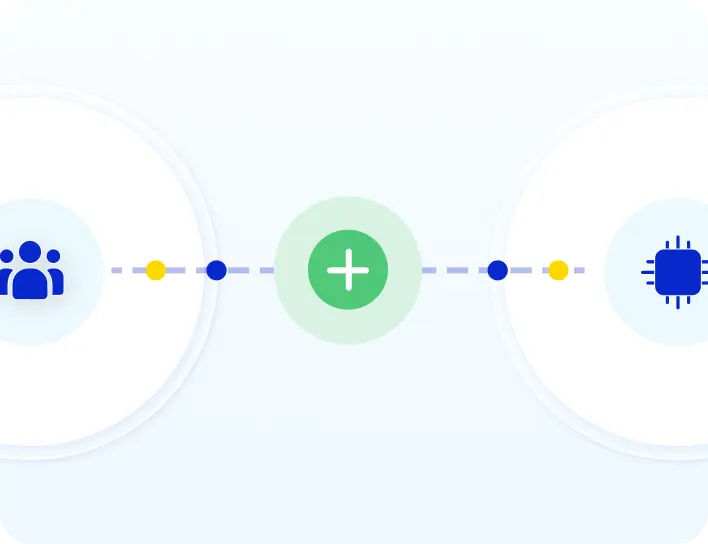
SpringVerify and Ashby integration: candidate details flow from Ashby to SpringVerify and background verification status returns to Ashby

Brands you trust, trust us

How Ashby Background Verification Works

Set it up once with an API key. After that, every hire is one click from the Offer stage.
1
Create an Ashby API key
In Ashby, open Admin, Integrations, API Keys, and create a key for the SpringVerify integration partner with Candidates Read All and Write All.
2
Connect Ashby in SpringVerify
In the SpringVerify portal, open Integrations, choose Ashby ATS and paste the key. Copy the External API Token and Base URL into the SpringVerify card in Ashby.
3
Add the activity at the Offer stage
In the job's Interview Plan, add the SpringVerify activity to the Offer stage and pick the assessment type that maps to your package.
4
Start verification, get results back
Click Start Assessment on a candidate at the Offer stage. They complete the BGV form, and the status and report link return to Ashby.

What Moves Between Ashby and SpringVerify

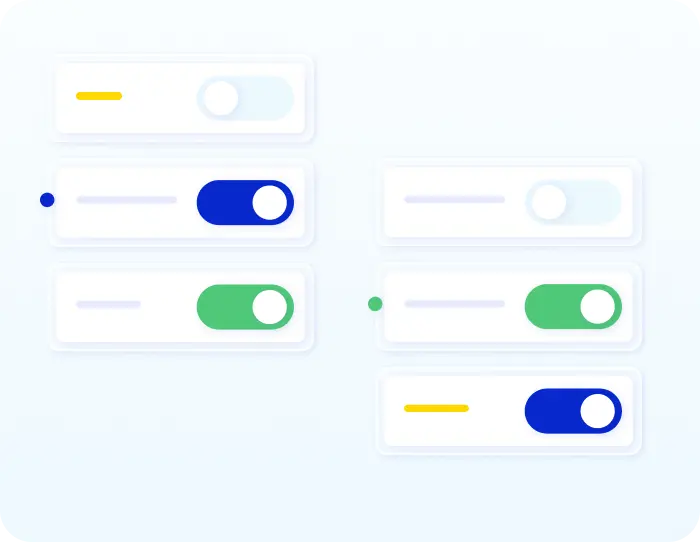
Verification starts only when your team clicks Start Assessment.
From Ashby to SpringVerify
✓
Candidate name
✓
Email address
✓
Phone number
✓
The assessment type, which maps to your BGV package
From SpringVerify to Ashby
✓
The verification status
✓
A link to the report
✓
A link to open the candidate in SpringVerify
✓
Updates pushed back automatically every hour

Why Recruiters Start Checks From Ashby

Your pipeline stays in Ashby. Verification is one click from the Offer stage.
Icon: you decide when it starts
You decide when it starts
The check starts when a recruiter clicks Start Assessment at the Offer stage, so nothing runs by accident.
Icon: no re-entry of details
No re-entry of details
Name, email and phone number go across to SpringVerify, and the candidate gets the BGV form by email.
Icon: the right package for each job
Right package for each job
Each assessment type maps to a SpringVerify BGV package, so every job runs the checks it needs.

Icon: status and reports in Ashby
Status and reports in Ashby
Status updates and the report link are pushed back to Ashby every hour, with a link into the SpringVerify profile.

What You Need to Set Up Ashby Background Verification

Three things to have ready before you start.
Ashby Admin access
Admin access in Ashby, to create the API key and configure the SpringVerify integration.
An Ashby API key
A key for the SpringVerify integration partner with Candidates Read All and Write All scopes.

SpringVerify portal access
Access to the Integrations page in the SpringVerify portal, where you connect Ashby ATS.

Read the setup guide →
See Ashby background verification in action
Walk through the Offer-stage setup with our team.
Schedule a Demo

30+ Checks You Can Start From the Offer Stage

Each assessment type maps to a SpringVerify package. These are some of the checks you can include.

What Hiring Teams Say

Feedback from teams that run background checks with SpringVerify.
"Will recommend SpringVerify for authentic and faster background checks."
Asmita P.
Senior HR Generalist, HackerEarth
"Everything is digital and automated. But I still get up-to-date progress on every candidate verification without contacting a representative."
Sameer Wahie
Founder, Swageazy
"The user interface caught our attention the most. The ability to digitally get a consent form signed by the candidate, upload basic candidate details, and completely automate the process was the highlight."
Rohit Nair
Project Lead & Program Manager, Zinnov
Want to See the Offer-Stage Flow?
See how Start Assessment sends a candidate to SpringVerify and brings the report link back.
Schedule a Demo

Ashby BGV Integration: Frequently Asked Questions

What does the SpringVerify and Ashby integration do?

It lets you run background verification from Ashby. When a candidate reaches the Offer stage, your team starts the SpringVerify assessment, the candidate is created in SpringVerify, and the status and report link are pushed back to Ashby.

How do I connect Ashby to SpringVerify?

Create an API key in Ashby under Admin, Integrations, API Keys. Then open Integrations in the SpringVerify portal, choose Ashby ATS, click Connect and paste the key. SpringVerify shows an External API Token and Base URL to enter in the SpringVerify card in Ashby.

Which API scopes does the Ashby key need?

Candidates Read All and Write All. Create the key for the SpringVerify integration partner.

How do I start a background check from Ashby?

Add the SpringVerify activity to the Offer stage in the job's Interview Plan and choose an assessment type. When a candidate reaches the Offer stage, click Start Assessment and confirm the type.

What does the assessment type mean?

It maps to the background verification package configured in SpringVerify, so each job can run a different set of checks.

What candidate details are needed to start?

The candidate's name, email address and phone number. The candidate then receives an email with the BGV form link, and verification begins once they submit it.

How often does Ashby get updates?

SpringVerify pushes the status and report link back to Ashby automatically every hour. You can also open the linked SpringVerify candidate profile directly from Ashby.

Is candidate data secure in the Ashby integration?

To start a check, Ashby sends the candidate's name, email address and phone number. SpringVerify is certified with SOC 2 Type II and ISO 27001, aligned with India's Digital Personal Data Protection Act, and encrypts data end to end.
Start Background Verification Inside Ashby
Book a walkthrough with the SpringVerify team.
Schedule a Demo