SpringVerify × Zoho Recruit

Pick a SpringVerify package on the candidate in Zoho Recruit. Documents are read, the form is pre-filled, and the status and report link come back to Zoho Recruit.
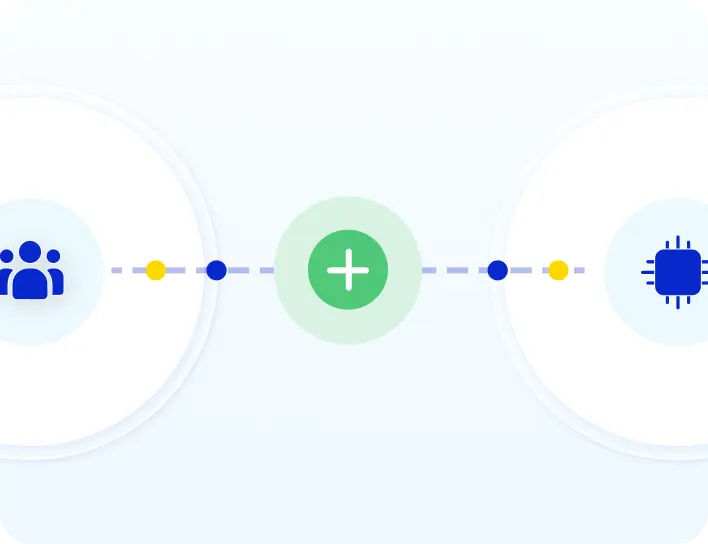
SpringVerify and Zoho Recruit integration: candidate documents and package flow from Zoho Recruit to SpringVerify and the status returns

Brands you trust, trust us

How the Integration Works

Set it up once. After that, every candidate flows through from the candidate record.
1
Connect Zoho Recruit
In the SpringVerify portal, open Integrations, click Connect on the Zoho Recruit card, sign in to Zoho Recruit and accept.
2
Add the BGV fields
In Zoho Recruit, add a BGV section to the Candidates module with fields for the package, status, remarks and report link.
3
Pick a package on a candidate
Attach the documents, select the SpringVerify package and save. SpringVerify takes it from there.
4
Results return to Zoho Recruit
The status, any remarks and a link to the full report appear in the BGV section of the candidate profile.

What Moves Between Zoho Recruit and SpringVerify

Verification starts only for the candidates you pick a package for.
From Zoho Recruit to SpringVerify
✓
Candidate details, used to pre-fill the form
✓
Documents attached to the candidate, sorted into ID, employment, education and address
✓
The SpringVerify package you selected
From SpringVerify to Zoho Recruit
✓
The verification status
✓
Remarks, including the reason if a check could not start
✓
A link to the full report

Why Teams Pair Zoho Recruit with SpringVerify

Hiring stays in Zoho Recruit. Verification just happens.
Icon: one selection to start
One selection to start
Pick the SpringVerify package on the candidate and save. No export, no second tool.
Icon: documents pre-fill the form
Documents pre-fill the form
SpringVerify reads the attached documents and fills in the details, so candidates only add what is missing.
Icon: failures are explained
Failures are explained
If a check cannot start, for example because of missing documents or a duplicate email or phone, the reason shows in BGV Remarks.
Icon: instant or scheduled
Instant or scheduled
Add a webhook to start the moment a package is selected, or let SpringVerify sync every five minutes.

Set Up in Two Places

A one-time setup in SpringVerify and Zoho Recruit.
In SpringVerify
Open Integrations, click Connect on the Zoho Recruit card, sign in to Zoho Recruit and accept. You return to SpringVerify with a confirmation.
In Zoho Recruit
Add a BGV section to the Candidates module with the package, status, remarks and report fields. Field names must match exactly. For an instant start, add a workflow rule with a webhook.
Read the setup guide →

30+ Checks You Can Run From Zoho Recruit

Pick the package that fits the role. Here are some of the checks you can include.

What Customers Say

Loved by HR teams. Trusted at scale.
HackerEarth logo
"Will recommend SpringVerify for authentic and faster background checks."
Portrait of Asmita P., Senior HR Generalist at HackerEarth
Asmita P.
Senior HR Generalist, HackerEarth
LoadShare Networks logo
"SpringVerify gave us the ability to actually see court case risks clearly. It has meaningfully reduced our BGV delays and given our HR team the visibility to move faster with confidence."
Portrait of Ritika Raj, Senior Manager I, HR Shared Services at LoadShare Networks
Ritika Raj
Senior Manager I - HR Shared Services, LoadShare Networks
Kotak Mahindra Asset Management logo
"We've been using SpringVerify since March 2025 and the experience has been smooth so far. What we appreciate most is how proactive and solution oriented they are."
Portrait of Govindprasad Goankar, Executive VP and HR Head at Kotak Mahindra Asset Management
Govindprasad Goankar
Executive VP & HR Head, Kotak Mahindra Asset Management
See It Working With Your Zoho Recruit Account
Walk through the Zoho Recruit and SpringVerify integration end to end.
Schedule a Demo

Zoho Recruit Integration: Frequently Asked Questions

What does the SpringVerify and Zoho Recruit integration do?

It lets you start background verification from Zoho Recruit. SpringVerify fetches the candidate's documents, pre-fills the verification form, starts the check, and sends the status and report link back to Zoho Recruit.

How do I connect Zoho Recruit to SpringVerify?

In the SpringVerify portal, open Integrations and click Connect on the Zoho Recruit card. Sign in to Zoho Recruit and click Accept. You return to SpringVerify with a confirmation that the integration was added.

Which fields do I add in Zoho Recruit?

In Settings, Modules, Candidates, create a section called BGV. Add a picklist called SpringVerify Package with your package names, a single-line field called SpringVerify BGV Status, a multi-line field called SpringVerify BGV Remarks, and a URL field called SpringVerify BGV Report. The names must match exactly.

How do I start a background check?

Open the candidate in Zoho Recruit and attach the required documents. Select the SpringVerify Package from the dropdown and save. SpringVerify reads the documents, pre-fills the form and starts the check.

Which documents can SpringVerify read?

Documents for ID checks (such as PAN, Aadhaar, passport, voter ID and driving licence), employment (such as offer, appointment, payslip, resignation and relieving letters), education (such as degree, marksheet and certificates) and address (such as Aadhaar, rental agreement, utility bill and bank statement). Document names should include the category, for example "pan" or "payslip".

Why is the background check not starting?

Check that a SpringVerify Package is selected, that the BGV fields are added with the exact names, and that the integration is active. If something is wrong, such as missing documents or a duplicate email or phone, the reason appears in SpringVerify BGV Remarks.

How often are the status and report updated?

Instantly if you set up the optional webhook workflow, and every three hours otherwise. The status and a link to the report appear in the BGV section of the candidate profile.

Is candidate data secure?

SpringVerify is certified with SOC 2 Type II and ISO 27001, and aligned with India's Digital Personal Data Protection Act. Data is encrypted end to end.

Ready to Go Live with Zoho Recruit?
See the Zoho Recruit and SpringVerify integration end to end.
Schedule a Demo