SpringVerify × Keka

Start background checks from Keka's onboarding screen. The report comes back to Keka.
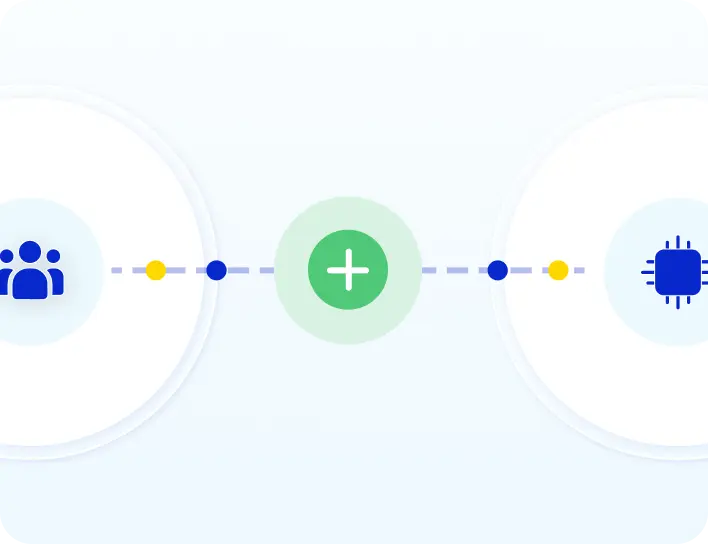
SpringVerify and Keka integration: employee details flow from Keka to SpringVerify and the report returns

Brands you trust, trust us

How the Integration Works

Install once. After that, every check starts and ends in Keka.
1
Install the app from the Keka marketplace
Find SpringVerify under Apps > Background Verification, click Install and allow access.
2
Start a verification in Keka
Go to Org > Onboarding > Background Verification, select the employees, choose SpringVerify and a package.
3
Candidate completes a pre-filled form
SpringVerify adds the employee right away and pre-fills the form from Keka documents. The candidate fills in only what is missing.
4
Report returns to Keka
When the checks are done, the report is pushed to Keka. Track status and open the report from the same Background Verification screen.

What Moves Between Keka and SpringVerify

Only the people you choose to verify are shared.
From Keka to SpringVerify
✓
Employee name
✓
Email address
✓
Phone number
✓
Employee number and joining date
✓
Documents already on file
✓
The package you chose
From SpringVerify to Keka
✓
Verification status
✓
The final report

Why Teams Pair Keka with SpringVerify

Hiring stays in Keka. Verification just happens.
Icon: no API to build
No API to build
Connect from the Keka marketplace and the SpringVerify portal. No developer needed.
Icon: only the right people are shared
Only the right people are shared
Employees are added to SpringVerify only when you start a check for them.
Icon: less typing for candidates
Less typing for candidates
Documents already in Keka pre-fill the form, so there are fewer fields and fewer follow-ups.
Icon: one place for status and reports
One place for status and reports
Track progress and open the report in Keka.

Works With the Keka You Use

SpringVerify connects to Keka in three ways. We help you pick the right one for your setup.
Keka Marketplace app
Install SpringVerify from the Keka marketplace and start checks from Org > Onboarding > Background Verification.
Read the setup guide →
Keka HRMS
For teams running Keka's HR platform. Verification starts from your onboarding flow.
Read the setup guide →
Keka ATS
For teams recruiting in Keka. Checks start from the candidate in your hiring pipeline.
Read the setup guide →

30+ Checks You Can Run From Keka

Pick the package that fits the role. Here are some of the checks you can include.

What Customers Say

Loved by HR teams. Trusted at scale.
Lumel logo
"Our recruitment team is very happy with the SpringVerify integration. They told us their work has reduced by nearly 50%, especially in rolling out offer letters."
Read the Lumel story →
Portrait of Brinda Jayaraman, Designated Partner at Lumel
Brinda Jayaraman
Designated Partner, Lumel
Cateina Technologies logo
"Earlier, our hiring was very unorganized, we wanted our database to be safe and secure. Keka brought us a sense of clarity amidst the chaos. With Keka and SpringVerify, everything has been very seamless and great. I have not faced any hiccups."
Read the Cateina story →
Portrait of Deviya Kannan, HR Manager at Cateina Technologies
Deviya Kannan
HR Manager, Cateina Technologies
Kotak Mahindra Asset Management logo
"We've been using SpringVerify since March 2025 and the experience has been smooth so far. What we appreciate most is how proactive and solution oriented they are."
Portrait of Govindprasad Goankar, Executive VP and HR Head at Kotak Mahindra Asset Management
Govindprasad Goankar
Executive VP & HR Head, Kotak Mahindra Asset Management
See It Working With Your Keka Account
Walk through the Keka and SpringVerify integration end to end.
Schedule a Demo

Keka Integration: Frequently Asked Questions

What does the SpringVerify and Keka integration do?

It lets your team start background verification from Keka without building any API. SpringVerify adds the employee, pre-fills the form from the documents already in Keka, runs the checks, and sends the report back to Keka.

How do I install the SpringVerify app in Keka?

In Keka, go to Apps > Background Verification > SpringVerify, click Install and allow the permissions.

How do I connect Keka to SpringVerify?

In the SpringVerify portal, open Integrations, find the Keka Marketplace card and click Connect. If you are not logged in to Keka, you will be taken to its login page first.

How do I start a background check from Keka?

Go to Org > Onboarding > Background Verification and click Start New Verification. Select the employees, choose SpringVerify and a package, review the details and click Initiate BG Check.

Are all my Keka employees added to SpringVerify?

No. Only employees for whom you start a verification are added to SpringVerify.

How do I see the report?

When verification is complete, the report is pushed to Keka automatically. Open it from Org > Onboarding > Background Verification with the Review button next to the employee.

We already use an older Keka integration. What should we do?

Disconnect the previous integration, then connect again using the steps above.

Is candidate data secure?

SpringVerify is certified with SOC 2 Type II and ISO 27001, and aligned with India's Digital Personal Data Protection Act. Data is encrypted end to end.
Ready to Go Live with Keka?
See the Keka and SpringVerify integration end to end.
Schedule a Demo