SpringVerify × Greenhouse

Background checks start the moment an offer is approved or a candidate is hired. The results come back to Greenhouse.
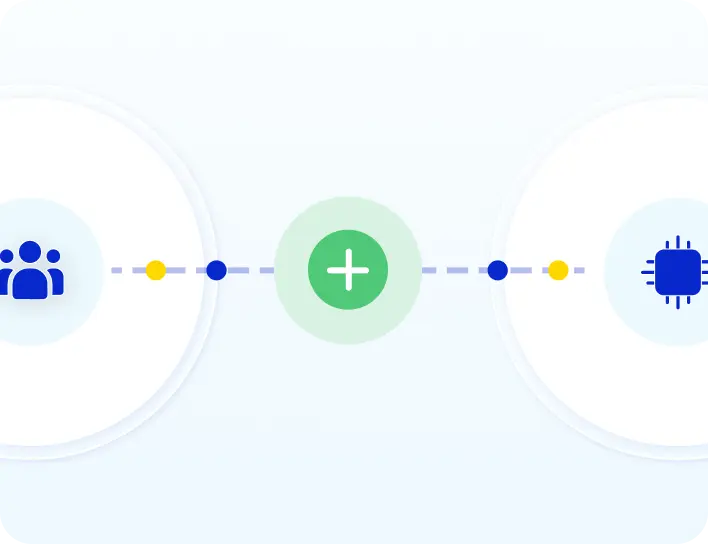
SpringVerify and Greenhouse integration: candidate details flow from Greenhouse to SpringVerify and results return to Greenhouse

Brands you trust, trust us

How the Integration Works

Set it up once. After that, every hire flows through on its own.
1
Connect Greenhouse
In the SpringVerify portal, open Integrations, choose Greenhouse and sign in with your Site Admin email.
2
Map packages and pick a trigger
Match your Greenhouse job fields to SpringVerify packages, then choose Offer approved or Candidate hired.
3
Move a candidate to the trigger stage
SpringVerify adds them automatically and sends the candidate a link to complete the form.
4
Results return to Greenhouse
Your team sees a completed tag and a private note with the status and a link to the full report.

What Moves Between Greenhouse and SpringVerify

Verification starts on a trigger you choose, not on every candidate.
From Greenhouse to SpringVerify
✓
Candidate name
✓
Email address
✓
Phone number
✓
Resume
✓
The job and its custom fields, used to choose the package
From SpringVerify to Greenhouse
✓
A tag when verification starts
✓
A tag when it completes
✓
A private note with the status
✓
A link to the full report

Why Teams Pair Greenhouse with SpringVerify

Hiring stays in Greenhouse. Verification just happens.
Icon: starts at the right moment
Starts at the right moment
Checks begin when an offer is approved or a candidate is hired, as you decide.
Icon: only the candidates you choose
Only the candidates you choose
Filter by job fields so only the roles you pick are verified.
Icon: two ways to connect
Two ways to connect
Sign in with your Site Admin login, or use your own Greenhouse API credentials.
Icon: private by default
Private by default
Status notes are visible to admins only, not to the whole hiring team.

Two Ways to Connect

Pick the route that fits how your team manages access.
Connect with Greenhouse (recommended)

Sign in with your Site Admin email and you are connected in minutes. Then map your packages and choose your trigger.
Read the setup guide →
Use your own credentials
Create a Harvest V3 OAuth credential and a webhook in Greenhouse for the offer approved and candidate hired events.
Read the setup guide →

30+ Checks You Can Run From Greenhouse

Pick the package that fits the role. Here are some of the checks you can include.

What Customers Say

Loved by HR teams. Trusted at scale.
HackerEarth logo
"Will recommend SpringVerify for authentic and faster background checks."
Portrait of Asmita P., Senior HR Generalist at HackerEarth
Asmita P.
Senior HR Generalist, HackerEarth
LoadShare Networks logo
"SpringVerify gave us the ability to actually see court case risks clearly. It has meaningfully reduced our BGV delays and given our HR team the visibility to move faster with confidence."
Portrait of Ritika Raj, Senior Manager I, HR Shared Services at LoadShare Networks
Ritika Raj
Senior Manager I - HR Shared Services, LoadShare Networks
Kotak Mahindra Asset Management logo
"We've been using SpringVerify since March 2025 and the experience has been smooth so far. What we appreciate most is how proactive and solution oriented they are."
Portrait of Govindprasad Goankar, Executive VP and HR Head at Kotak Mahindra Asset Management
Govindprasad Goankar
Executive VP & HR Head, Kotak Mahindra Asset Management
See It Working With Your Greenhouse Account
Walk through the Greenhouse and SpringVerify integration end to end.
Schedule a Demo

Greenhouse Integration: Frequently Asked Questions

What does the SpringVerify and Greenhouse integration do?

It starts background checks automatically from Greenhouse. When a candidate reaches the stage you choose, SpringVerify adds them, sends the verification form, runs the checks, and records the result back in Greenhouse.

When does a background check start?

On the events you choose: when an offer is approved, or when a candidate is hired. By default the candidate gets an email to complete the verification form, and you can turn that off or tie it to a specific stage.

How do I connect Greenhouse to SpringVerify?

In the SpringVerify portal, open Integrations, choose the Greenhouse card and click Connect. Sign in with the email of your Greenhouse Site Admin account and you are connected. Then map your job fields to packages and save.

Can I use my own Greenhouse credentials?

Yes. Choose "Use your own Greenhouse credentials", create a Harvest V3 OAuth credential in Greenhouse, enter it in SpringVerify and add a webhook for the offer approved and candidate hired events.

How does SpringVerify choose the right package?

You create a custom field in Greenhouse and map its values to SpringVerify packages. The package is chosen from the job, so each role gets the right checks.

Will every candidate be verified?

Only the ones you choose. Turn on "Verify Only Selected Candidates", pick a Greenhouse field and list the values to include. Everyone else is skipped.

Where do I see the results in Greenhouse?

Your team sees a tag on the candidate's profile when verification starts and again when it completes, and a private note shows the status with a link to the full report. Candidates do not see any of this. Turn on the Report Push toggle in the SpringVerify portal to enable this.

Is candidate data secure?

SpringVerify is certified with SOC 2 Type II and ISO 27001, and aligned with India's Digital Personal Data Protection Act. Data is encrypted end to end.
Ready to Go Live with Greenhouse?
See the Greenhouse and SpringVerify integration end to end.
Schedule a Demo