

Table of Contents
Why Passport Number Verification Just Got Complicated

Passport number verification, surprisingly, isn’t as straightforward as it sounds. It’s evolved beyond simple number matching. In my conversations with developers creating verification systems—from scrappy fintech startups to large government contractors—a common theme emerges: simple solutions are ticking time bombs. One developer recounted a nightmare scenario with an inherited system that merely checked passport number length. It imploded when they began onboarding users with diplomatic passports, which follow a different format.
Country-specific quirks are a major pain point. Each country boasts its own passport format, some defying standard validation rules. This renders generic regex patterns or basic length checks unreliable. Think about it: some countries use alphanumeric characters, while others rely solely on numbers. Even the Machine Readable Zone (MRZ) format and placement varies, making automated scanning and data extraction more complex. The potential for errors is substantial.
KYC and AML Compliance
Passport number verification is a crucial component of identity verification, much like the due diligence required for conducting thorough background checks. It’s essential for KYC (Know Your Customer) and AML (Anti-Money Laundering) compliance. Mistakes can be costly. I witnessed a small fintech company incur a $10,000 fine due to a flawed verification system that assumed all passports followed a predictable structure. Spoiler alert: they didn’t.
A passport’s country of origin also factors into the equation. The Indian passport’s global ranking, for example, influences its citizens’ ease of travel. As of 2025, the Henley Passport Index ranks India 85th, permitting visa-free or visa-on-arrival access to 70+ countries. This ranking can impact the stringency of passport number verification depending on the specific use case. Learn more about the Indian passport ranking.
Building a robust and accurate passport number verification system is no longer optional—it’s a must-have. The inherent complexities demand a thoughtful and nuanced approach that accounts for international variations and ever-changing security threats. You can’t just slap something together and hope for the best.
Setting Up Your Verification Environment Without Breaking Things
So, you’re ready to start verifying passport numbers? Awesome! Let’s get your development environment sorted first. A properly configured setup can save you tons of headaches later on. I’ve personally seen projects delayed for weeks because of overlooked environment details. It’s like trying to bake a cake without the right ingredients – you’ll get something, but it won’t be what you hoped for.
Essential Tools and Configurations
First up, make sure you have the right libraries installed. Don’t just grab the first one you find. Look for libraries with a proven track record in production. I’ve had great experiences with libraries that offer comprehensive validation, like checksum calculations and format checks for different countries. Some of these might be premium tools, but the peace of mind is worth the investment.
Choosing the right testing framework is another crucial step. A good testing setup will help you catch those pesky edge cases before they affect your users (and your reputation!). I’ve witnessed firsthand how robust testing can catch everything from invalid character inputs to unexpected data formats from the API. Don’t forget to include tests for different passport types, like diplomatic passports, as they often have unique formats.
Configuration Details That Matter
Now for the sneaky configuration details that can make or break your implementation. SSL certificates, for instance, can cause all sorts of problems if not configured correctly. I once spent an entire day debugging a connection issue that boiled down to an expired SSL certificate. Timeouts are another critical aspect. Too short, and your requests will fail prematurely. Too long, and your application might hang. It’s a balancing act.
Rate limiting is also key, especially with high volumes of verification requests. You don’t want your API key revoked for hitting the server too hard. Implementing smart retry strategies can prevent this. Think of it as politely knocking instead of hammering on the door.
Local Testing and Monitoring
Finally, set up a local testing environment. This lets you test your code without using up your API quotas or accidentally sending test data to your production database. Consider it your sandbox for experimentation. And don’t forget monitoring! Set up alerts to be notified immediately if something goes wrong. It’s like having a smoke alarm for your application.
By setting up your development environment correctly, you’ll be well-positioned for a smooth and successful implementation. This proactive approach helps prevent problems before they arise, saving valuable time and resources. Now, let’s move on to manual verification techniques…
Manual Verification Techniques That Actually Work
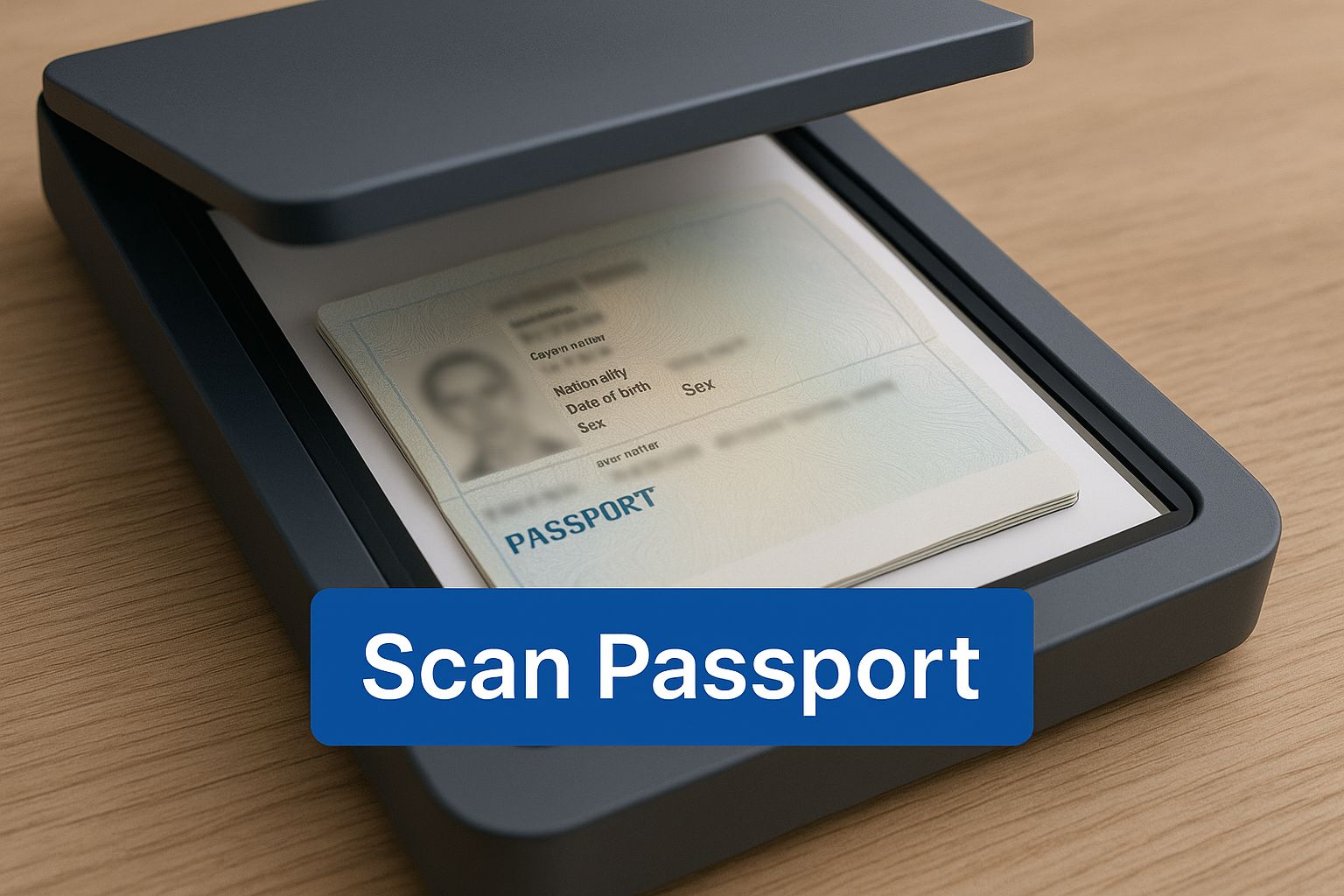
This infographic shows that first step in manual passport verification: scanning the document. Digitizing the passport allows for closer inspection and easier cross-referencing. A good scan is the foundation of accurate manual verification.
While automated systems are great, manual passport number verification is still a crucial tool, especially for complex cases or when the stakes are high. It’s like that extra layer of security, catching things automated systems might miss. Think of it as a double-check – a fresh perspective can make all the difference.
Visual Inspection and Cross-Referencing
Manual verification isn’t just about matching a passport number to a database. Experienced verifiers are trained to spot inconsistencies that might indicate a fake. They look at security features, microprinting, and the overall quality of the document. It’s all about understanding the small details of real passports, which can be quite different from country to country.
Cross-referencing is another important part of manual verification. This could mean checking the passport number against other official documents or databases. For example, confirming the issuing authority and the issue date helps validate the passport. This is especially relevant with Indian passports. The Indian government has been modernizing its passport system with the Passport Seva Project, using tech to fight fraud and meet international standards. If you’re curious about Indian passport rankings, you can learn more here.
Checklists and Red Flags
Many organizations use checklists for manual verification to be thorough and consistent. These checklists often include essential things to check, like a valid MRZ (Machine Readable Zone), the passport holder’s photo, and the expiry date. Experienced verifiers develop a knack for spotting red flags – those little hints that something’s off. Maybe it’s a mismatch between the birth date and issue date, or a strange font used on the document.
Let’s talk about passport formats for a second. They vary significantly between countries, making it crucial for verifiers to be aware of these differences. To illustrate this, take a look at the table below. It breaks down the passport number formats of several countries, giving you a real-world sense of the diverse patterns and validation rules involved.
To help illustrate these differences, I’ve put together a table outlining the various passport formats. Understanding these nuances is key to effective verification.
Country-Specific Passport Number Formats
Comprehensive breakdown of passport number patterns for major countries including format validation rules
| Country | Format Pattern | Length | Character Types | Validation Example |
|---|---|---|---|---|
| United States | Alphanumeric | 9 | Letters and Numbers | 123456789 |
| United Kingdom | Alphanumeric | 9 | Letters and Numbers | ABC123456 |
| Canada | Alphanumeric | 8 | Letters and Numbers | 12345678 |
| Australia | Alphanumeric | 9 | Letters and Numbers | AB1234567 |
| India | Alphanumeric | 8-9 | Letters and Numbers | A12345678 |
| Germany | Alphanumeric | 9 | Letters and Numbers | 12345678A |
| France | Alphanumeric | 9 | Letters and Numbers | AB123456C |
| China | Alphanumeric | 8-9 | Letters and Numbers | E12345678 |
| Japan | Alphanumeric | 9-10 | Letters and Numbers | TA12345678 |
| Brazil | Alphanumeric | 9-10 | Letters and Numbers | AB12345678 |
As you can see, passport number formats can vary quite a bit! Knowing these specifics helps you spot inconsistencies more easily.
Legal Requirements and Documentation
Sometimes manual verification is a legal requirement, particularly in industries with strict KYC and AML regulations. In these situations, documenting the process is essential. This creates an audit trail and proves compliance. Good documentation also helps with internal training and quality control. If you’re exploring automated solutions, services like SpringVerify for passport verification are worth checking out. Understanding the specific validation rules of different passport formats strengthens your verification and reduces the risk of identity fraud. This makes manual verification a valuable tool in fighting fraud, even in today’s world of automation.
SpringVerify API Integration That Actually Survives Production
Integrating the SpringVerify API effectively is key for solid passport number verification. Let me share some real-world implementation advice gleaned from actual production environments – stuff that’ll help you sleep soundly at night. This isn’t some theoretical textbook stuff; it’s battle-tested wisdom.
Authentication and Request Structure
First up: authentication. You wouldn’t believe how many developers trip up on this. Double-check you’re using the correct API keys and secrets, and for goodness sake, store them securely. Hardcoding them is a recipe for disaster. Opt for a separate configuration file or environment variables – much safer.
Then, there’s request structuring. Timeouts are a real pain. Overly large or complex requests can timeout before the API can respond. I once spent days wrestling with a timeout issue, only to discover I was sending mountains of data in a single request. Breaking it into smaller batches was the magic bullet.
Response Parsing and API Changes
Next hurdle: parsing the API response. Never assume the format is set in stone. APIs evolve, and your code needs to adapt. A robust JSON parser (JSON) parser that handles minor format variations can prevent unexpected errors. I learned this the hard way when a small API update wrecked my parsing logic and triggered a domino effect of failures.
The SpringVerify API documentation has the details on response structures and potential changes. Speaking of which, the screenshot below shows just how comprehensive it is.
This documentation is a lifesaver. It clarifies API endpoints, request parameters, and response formats, making integration so much smoother. For more integration insights, check out: SpringVerify API Integrations.
Advanced Strategies: Batch Processing and Webhooks
Now for the pro tips. Smart batch processing can seriously boost performance, especially with high volumes of passport verifications. Think of it like sending multiple smaller packages instead of one giant, unwieldy crate – way more efficient.
Webhooks are another game-changer. They let the API notify your application of events, like a completed verification, instead of your application constantly pestering the API. This cuts down latency and server load. It’s like getting a notification instead of obsessively checking your inbox.
Fallback Mechanisms and Retry Logic
Finally, let’s talk about resilience. API downtime is a fact of life. A solid fallback mechanism keeps your application running even when the API is down. This might involve using a cached response or offering a limited service.
Retry logic is just as vital. When a request fails, don’t give up immediately. Implement retry logic with exponential backoff (increasing the delay between retries). This prevents overwhelming the API server. It’s like being persistent but polite. With these strategies, your SpringVerify API integration will be robust, scalable, and ready for anything a production environment throws at it.
Handling The Weird Stuff That Always Happens

Let’s be real, passport verification can be tricky. You’re going to run into situations that can really mess with your system. Think about it: expired passports, OCR hiccups, or even the dreaded API timeout during peak hours. Trust me, these aren’t just “what ifs” – they happen.
Damaged Documents and Unusual Formats
So, what happens when you get a passport that looks like it went through the washing machine? Don’t freak out! Having a solid fallback strategy is key. When you’re working with the SpringVerify API, understanding how it works under the hood is super important. Resources on API integration best practices, like this one on Chatbot APIs, can be really helpful. A manual review process can be your saving grace for those beat-up documents. Make sure your team is ready to handle these edge cases and can still pick out the important info, even when the document is less than perfect.
Then you have those quirky passport formats. Some countries just do things differently, and their layouts or numbering can throw off your validation. Flexibility is essential here. Ditch rigid validation and go for something that can handle a little variation. A mix of regex and lookup tables can be a good approach for different formats.
API Timeouts and Graceful Degradation
API timeouts are a real pain. High traffic can bring down even the strongest APIs. Smart retry logic with exponential backoff can really help. It’s like politely waiting your turn instead of banging on the server’s door. But what if the API is totally down? That’s where graceful degradation comes in. Your system needs to keep working, even if it’s limited, when those third-party services fail. For example, let users submit their info, even if you can’t verify it right away.
To give you a clearer picture of potential hiccups, I’ve put together a handy table:
Common Verification Error Codes and Solutions
This table provides a quick reference for common error scenarios, along with solutions and user-friendly messages you can display. It’s a good starting point for your own error handling strategy.
| Error Code | Description | Cause | Solution | User Message |
|---|---|---|---|---|
| 400 | Bad Request | Invalid input data | Check input parameters | Please review your passport details and try again. |
| 401 | Unauthorized | Invalid API key | Verify API credentials | There was an issue with our system. Please try again later. |
| 404 | Not Found | Passport data not found | Review passport number | We couldn’t find a match for your passport. Please double-check the number. |
| 500 | Internal Server Error | Server-side issue | Check server logs/contact support | We’re experiencing technical difficulties. Please try again later. |
| 503 | Service Unavailable | API is down | Implement fallback/retry | Our verification service is temporarily unavailable. We’ll retry automatically shortly. |
As you can see, having clear user messages is crucial. Speaking of which…
Meaningful Error Handling and Logging
When things go south (and they will), talk to your users like humans. Skip the generic error messages. Tell them what happened in plain English. “Error 400: Bad Request” is unhelpful. “Please review your passport details and try again” is much better. Small change, big impact.
Good logging is your best friend when you’re troubleshooting. Log important stuff: passport numbers, API responses, and any errors. This helps you find the root cause of problems fast. With these strategies in place, you’ll be ready for anything and create a smoother, more dependable passport verification process.
Staying Compliant Without Losing Your Mind
Passport number verification. It’s not just about plugging in an API. It’s about balancing security, user experience, and a whole lot of compliance. Let’s be honest, keeping the legal eagles happy can be a headache, but it absolutely doesn’t have to be a nightmare.
Navigating the Regulatory Maze
The rules around passport verification are a bit of a jungle, especially with GDPR. Data handling is where things get tricky. You need to know exactly what data you’re allowed to collect, how you can use it, and how long you’re allowed to keep it. Think about it: your data retention policies actually affect how you design your database! One wrong step can lead to hefty fines and damage your reputation. That’s why I always recommend talking to a lawyer early on. They can help you build a system that’s compliant from day one. Also, SpringVerify’s compliance resources are a goldmine of helpful information.
Encryption and Secure Transmission
Encryption. It’s not just a techy buzzword. It’s your front-line defense. Robust encryption standards like AES-256 keep user data safe and sound. Similarly, secure transmission protocols like HTTPS are essential. They’re like a secure envelope for your data as it travels between your system and the verification API. I’ve seen companies fail security audits simply for overlooking these basics. It’s a risk you just don’t want to take.
Consent Management and International Compliance
In the age of GDPR, consent is king. You absolutely need explicit permission to collect and process passport information. Don’t bury it in your terms and conditions; make it crystal clear and easy to understand. Transparency builds trust with your users.
Then there’s international compliance. Dealing with users from different countries? You’ll need to consider data residency – where that data is physically stored actually matters. Some countries mandate that data be stored within their borders. It’s a global jigsaw puzzle, but understanding the rules of the game is key to avoiding legal trouble.
Practical Compliance Strategies
So, how do you actually do this? Checklists for security reviews are your best friend. They keep you organized and make sure you don’t miss anything important. Privacy policy templates? Use them! Don’t try to write one from scratch. Adapt a template to your specific needs, and make sure it’s written in plain English, not legalese.
When it comes to audits, preparation is everything. Meticulous documentation of your processes proves you’re taking compliance seriously. It’s like having all your paperwork perfectly filed – it shows you’re professional and gives you peace of mind. By following these strategies, you can navigate compliance with confidence, build a secure and compliant system, and sleep well knowing your users’ data is protected.
Scaling Your Verification System Like a Pro
Your passport verification system handles a few hundred requests without a hiccup. That’s great! But what happens when you’re suddenly flooded with thousands of requests per hour? Scaling efficiently without sacrificing speed or accuracy is a real challenge. Let me share some strategies I’ve seen work in production environments processing millions of verifications annually.
Caching and Database Optimization
Caching is like having a VIP lane for frequently accessed verification results. It drastically improves response times by storing those results temporarily. However, remember privacy is paramount. Design your caching strategy carefully to avoid holding onto sensitive data longer than absolutely necessary. Think of it as a quick-access, quick-clearing holding area for non-sensitive information only.
Database optimization is all about making your verification logs easily searchable. Indexing key fields like passport numbers and dates makes retrieval lightning-fast. Imagine searching a well-organized library with a detailed index versus rummaging through a chaotic pile of books. The right indexing makes all the difference.
Monitoring and Performance Metrics
Setting up monitoring isn’t a “one and done” task. You need to actively keep an eye on vital signs like API response times, error rates, and database query performance. This allows you to spot and address problems before they impact your users. Real-time dashboards are your best friends here, offering instant insights into the health of your system.
I’ve worked with production systems that use tools to analyze these metrics and trigger alerts when predefined thresholds are crossed. This proactive approach stops minor hiccups from escalating into major outages. It’s like having an early warning system for your verification setup.
Premium APIs vs. Building Your Own
Choosing between a premium API and building your own solution is a classic “build vs. buy” dilemma. Premium APIs, like those offered by SpringVerify, offer advantages like higher throughput, dedicated support, and often come with advanced features. However, these perks come at a cost.
Carefully weigh the costs against the benefits. Sometimes, crafting your own infrastructure for specific verification needs, like specialized checksum calculations for certain passport types, can be more economical in the long run.
Load Balancing and Geographic Distribution
Load balancing is like directing traffic flow, ensuring smooth movement and preventing bottlenecks. It’s crucial for distributing incoming traffic across multiple API servers or your own verification instances, preventing any single server from getting overloaded.
For global applications, think about geographic distribution. Positioning servers closer to your users reduces latency and noticeably improves performance. It’s like having local branches instead of relying on a single, distant headquarters.
Cost Optimization Techniques
Scaling your system doesn’t have to drain your budget. Optimizing database queries, implementing efficient caching, and carefully managing your API usage can significantly reduce costs. Even staying compliant can be a cost factor with these systems, and something like decentralized digital identity might offer ways to optimize. It’s all about striking the right balance between performance and affordability.
By using these strategies, you can scale your passport number verification system effectively, maintaining accuracy, speed, and cost-efficiency. It’s about building a system that can handle growth and adapt to the ever-changing demands of your business.


